
SmarTak inForce™3.6.3 - Google Play
You'll be able to see results in few seconds.
Publisher Description


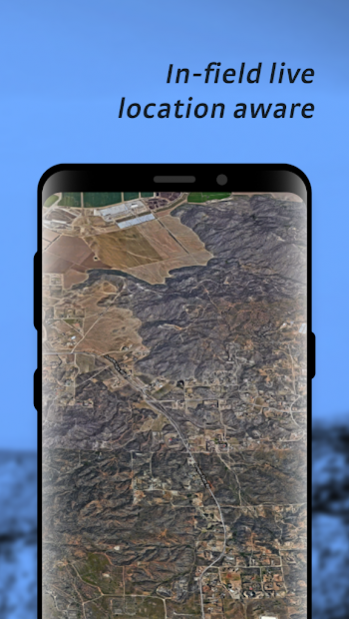
SmarTak inForce™ is a situational awareness tool. Whether you are a hiker, hunter, camper, member of law enforcement, event security or just want to keep track of people closest to you when it matters most, SmarTak inForce™ has the tools to help you out.
Create a user group and share your location and markers with group members. Use the mapping tool, Lambda, to see the location of your group members. Quickly get directions to a marker dropped by a team member using Google Maps™ functionality.
Route tracking enables you to record your movement for playback later. Whether you’re blazing trails or need to stay accountable, SmarTak inForce™ is here to support your after action report.
App Features
- Free until February 1, 2021 (Subscriptions available on February 1, 2021)
- Advertising Free
- Up toThree User Groups
- Lambda Mapping Tool
- Route Tracking
Pending Tools
- Epsilon (available on February 1, 2021)
- Kinetic (available on February 1, 2021)
- Sigma (available on February 1, 2021)
Future Tools
Delta
Feedback
If you have issues or feature requests, please contact our development team at
inforce.feedback@vkintsys.com.
Thank you for choosing SmarTak inForce™.
About SmarTak inForce™
The company that develops SmarTak inForce™ is VK Integrated Systems. The latest version released by its developer is 3.6.3.
To install SmarTak inForce™ on your Android device, just click the green Continue To App button above to start the installation process. The app is listed on our website since 2020-10-28 and was downloaded 0 times. We have already checked if the download link is safe, however for your own protection we recommend that you scan the downloaded app with your antivirus. Your antivirus may detect the SmarTak inForce™ as malware as malware if the download link to com.vkintsys.inforce is broken.
How to install SmarTak inForce™ on your Android device:
- Click on the Continue To App button on our website. This will redirect you to Google Play.
- Once the SmarTak inForce™ is shown in the Google Play listing of your Android device, you can start its download and installation. Tap on the Install button located below the search bar and to the right of the app icon.
- A pop-up window with the permissions required by SmarTak inForce™ will be shown. Click on Accept to continue the process.
- SmarTak inForce™ will be downloaded onto your device, displaying a progress. Once the download completes, the installation will start and you'll get a notification after the installation is finished.
Program Details
System requirements
Download information
Pricing
Version History
version 3.6.3-release78
posted on 2020-10-28
Welcome to the Official release of SmarTak inForce
General
Fixed a bug causing a hidden bottom sheet to appear
Fixed a navigation issue caused by the back button after sign-out
version 3.6.3-release78
posted on 2020-10-28
Welcome to the Official release of SmarTak inForce
General
Fixed a bug causing a hidden bottom sheet to appear
Fixed a navigation issue caused by the back button after sign-out
version 3.6.2-release77
posted on 2020-10-26
Welcome to the Official release of SmarTak inForce
Tool Lambda
Fixed a bug where duplicate markers indicating user location would appear on the map
Fixed a bug where markers indicating user location would bounce
version 3.6.1-release75
posted on 2020-10-20
Welcome to the Official release of SmarTak inForce
Route Playback
Major updates to the playback tool
Play/pause functionality to view route
Choose playback speed
General
Updated the UI during sign-in
Fixed a bug caused by the Google sign-in button
Fixed a bug caused during sign-in
version 3.5.3-release74
posted on 2020-09-24
Welcome to the Official release of SmarTak inForce
General
Optimized local data storage and persistence
Fixed a bug causing a crash in User Group Management
version 3.3.2-release69
posted on 2020-09-01
Welcome to the Official release of SmarTak inForce
Lambda
Minor updates to the map marker icons
General
Private User Groups are now available
Fixed a bug causing a crash in the Route Tracking tool and the Dashboard
Fixed a UI bug in the user groups management
Disclaimer
Official Google Play Link
We do not host SmarTak inForce™ on our servers. We did not scan it for viruses, adware, spyware or other type of malware. This app is hosted by Google and passed their terms and conditions to be listed there. We recommend caution when installing it.
The Google Play link for SmarTak inForce™ is provided to you by apps112.com without any warranties, representations or guarantees of any kind, so access it at your own risk.
If you have questions regarding this particular app contact the publisher directly. For questions about the functionalities of apps112.com contact us.
